
Wide-Format Paper Sizes: A0, A1, Plotters and Poster Printing
A0, A1 and A2 dimensions, plotter roll widths, printable margins, and how to prepare a PDF that prints at true size instead of being scaled to fit.
Wide-format printing is where paper-size mistakes become expensive. A single A0 sheet can cost more than a pack of A4, and a job scaled to the wrong roll width wastes both paper and ink. The good news is that the rules are simple once you know the sheet sizes, the roll widths and the difference between “fit to roll” and “actual size”.
The large ISO sizes
The A series doubles and halves cleanly, which is why it dominates posters, plans and technical drawings.
| Size | Dimensions (mm) | Dimensions (in) | Area |
|---|---|---|---|
| A0 | 841 × 1189 | 33.1 × 46.8 | 1 m² |
| A1 | 594 × 841 | 23.4 × 33.1 | 0.5 m² |
| A2 | 420 × 594 | 16.5 × 23.4 | 0.25 m² |
| A3 | 297 × 420 | 11.7 × 16.5 | 0.125 m² |
| A3+ | 329 × 483 | 13.0 × 19.0 | 0.159 m² |
| SRA3 | 320 × 450 | 12.6 × 17.7 | 0.144 m² |
A3+ is not an ISO size. It is a printer-paper format that gives a little extra room around A3 for bleed and crop marks. SRA3 is a press sheet: slightly larger than A3 so a commercial printer can trim to A3 after printing.
The B series is also used for posters and books. B0 is 1000 × 1414 mm, B1 is 707 × 1000 mm and B2 is 500 × 707 mm. These are ISO B sizes; Japanese B sizes are different, so check the designation before ordering.
North American wide formats follow ANSI:
| Size | Dimensions (in) | Dimensions (mm) |
|---|---|---|
| ANSI C | 17 × 22 | 432 × 559 |
| ANSI D | 22 × 34 | 559 × 864 |
| ANSI E | 34 × 44 | 864 × 1118 |
| Arch D | 24 × 36 | 610 × 914 |
| Arch E | 36 × 48 | 914 × 1219 |
Arch sizes are common in architecture and construction. ANSI sizes are common in engineering. They are close but not interchangeable, and a 24 × 36 plot is not the same as ANSI D.
Plotters, roll widths and sheet feed
A plotter is simply a printer designed for large sheets. Most models accept rolls rather than individual sheets, which changes how size is handled.
Common roll widths:
- 610 mm (24 in) — A1 portrait, A2 landscape, ANSI D with a small margin.
- 914 mm (36 in) — A0 portrait, ANSI E, Arch D/E.
- 1067 mm (42 in) — A0 with extra width for bleed.
- 1118 mm (44 in) — ANSI E with margin, wide architectural plots.
A roll has a fixed width but almost unlimited length, so the printer can produce a custom length. The driver usually offers “roll paper” with a specified width and either a fixed length or “fit to roll”. That is convenient for banners and awkward for measured drawings, because “fit to roll” may rotate or scale the page.
Sheets are different: the printer must have the exact sheet size, and the margins are determined by the sheet and the feed mechanism. Sheet-fed wide printers are common in offices that print occasional A3 or A2 jobs.
Printable area is smaller than the sheet
No wide-format printer prints to the absolute edge without a borderless setting, and many cannot do borderless at all. Expect a margin of roughly 3–5 mm on each side, sometimes more on the trailing edge. For posters, that margin is usually invisible. For technical drawings with a frame, it matters.
Practical consequences:
- Design the frame inside a safe margin of at least 10 mm.
- Do not place critical dimensions or crop marks in the outer 5 mm.
- If the printer supports borderless, check which widths and media types it supports; borderless is often limited to photo or coated paper.
- A PDF exported at the exact sheet size can still be shrunk by “fit to printable area”. Choose actual size and accept the margin.
Preparing a PDF for true-size output
The most reliable workflow is to design at final size and print at 100%.
- Set the document page size to the target sheet, for example 841 × 1189 mm for A0.
- Add bleed only if the print shop asks for it. For office posters, 3 mm is usually enough; commercial print often needs 3–5 mm.
- Keep text inside the safe area. At A0, a 10 mm margin is tiny; use 20–30 mm for posters viewed from a distance.
- Export a PDF with “actual size” or “document size”, not “fit to page”.
- In the print dialog, set the paper size to the exact sheet or roll width, choose actual size, and disable auto-rotate if the orientation matters.
- Print a small test on plain paper at reduced scale to check layout before using the expensive stock.
If the PDF page is A1 but the roll is 610 mm, the printer may rotate it to fit. That is fine for a poster and wrong for a drawing with a title block. Check the preview orientation, not just the paper size.
Tiling a large poster onto small sheets
When no plotter is available, a large poster can be printed across several A4 or A3 sheets and assembled. The arithmetic is straightforward:
- A1 = 8 × A4 sheets (2 across × 4 down)
- A0 = 16 × A4 sheets (4 across × 4 down)
- A0 = 4 × A3 sheets (2 across × 2 down)
Use the PDF viewer’s poster/tile mode, set 100% scale, and add a small overlap so the sheets can be aligned and taped. Print one tile first to confirm the scale; a 2% error becomes a visible gap across a 1.2 m poster.
The paper cutting calculator is useful for checking how many smaller pieces fit on a large sheet before you cut.
Choosing paper and ink for large formats
Wide-format printing exposes paper quality more than office printing does.
- Bond or plain paper (80–90 gsm) is cheap and fine for proofs, plans and temporary posters.
- Coated inkjet paper (120–200 gsm) holds colour better and resists curling.
- Photo paper (200–260 gsm) is for gallery prints and presentation boards.
- Tyvek and synthetic media are for outdoor banners and tear-resistant plans.
- Adhesive vinyl needs a compatible printer and a laminator for outdoor use.
Ink coverage is the main cost driver. A dark, full-bleed poster can use several times the ink of a line drawing. For internal drafts, print in greyscale or at reduced quality; save the high-quality mode for the final copy.
Common wide-format mistakes
- Designing at A4 and enlarging. The aspect ratio may not match, and text becomes blurry.
- Using “fit to roll”. It can rotate or scale a measured drawing.
- Forgetting the unprintable margin. Frames and crop marks disappear at the edge.
- Choosing the wrong B series. ISO B1 and JIS B1 are different sheets.
- Printing a 24 × 36 file on ANSI D. The sizes are close but not identical.
- Ignoring roll curl. Let the print flatten before laminating or framing.
Frequently asked questions
What is the difference between A0 and 2A0?
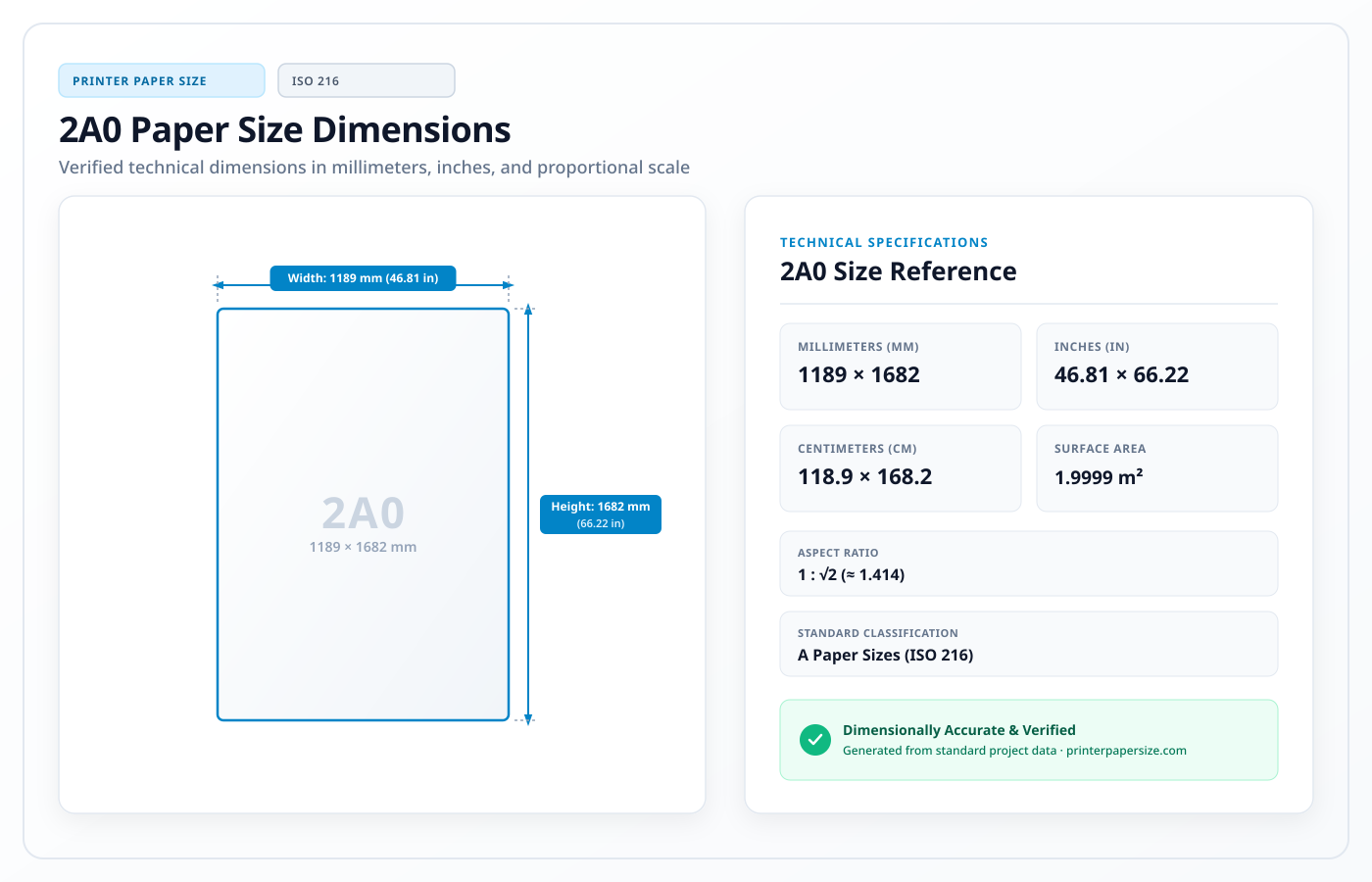
2A0 is twice the area of A0: 1189 × 1682 mm. It is used for very large posters and exhibition graphics and usually requires a commercial printer rather than a desktop plotter.
Can a 24-inch plotter print A1?
Yes, in portrait orientation. A1 is 594 mm wide, which fits within a 610 mm roll, leaving a small margin. A0 needs a 36-inch (914 mm) roll or larger.
How many A4 pages make an A0 poster?
Sixteen. Each step down the A series doubles the number of sheets: A0 → 2 A1 → 4 A2 → 8 A3 → 16 A4.
Why is my A1 PDF printing with white borders?
The printer has an unprintable margin, and “fit to printable area” may also be shrinking the page. Set scaling to 100% and design important content inside a 10 mm safe area.
Is A3+ the same as A3?
No. A3 is 297 × 420 mm; A3+ is about 329 × 483 mm. A3+ gives extra space around an A3 layout for bleed, crop marks or a photo border.